SIMS Ticket Hub - Unified Ticket Aggregation Platform
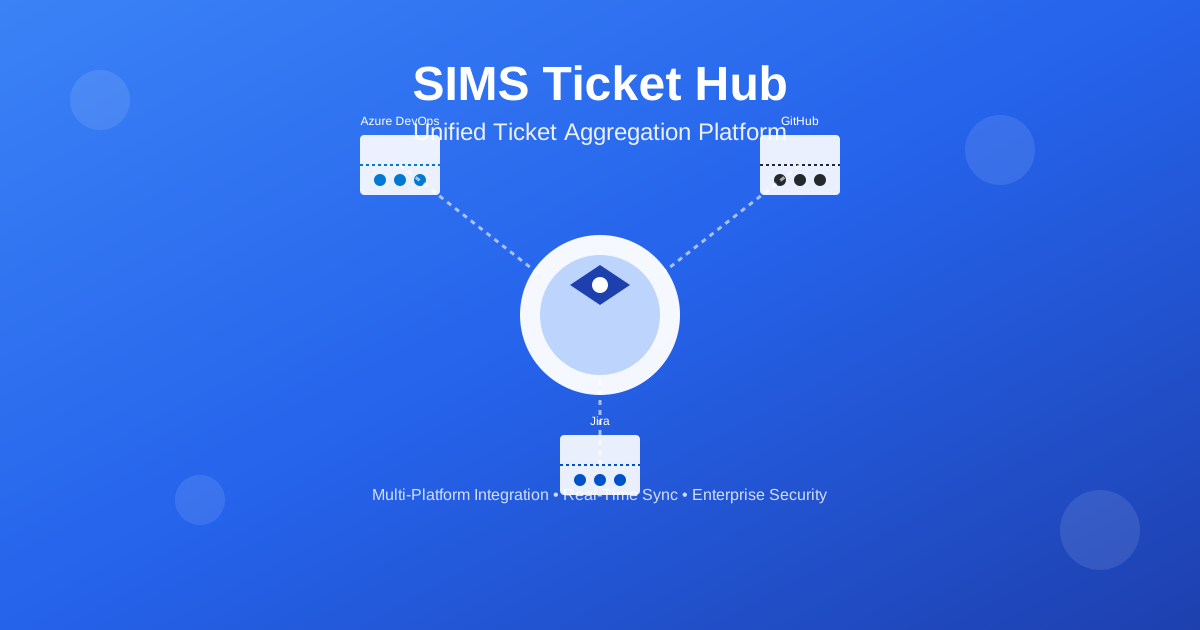
Consolidate tickets from Azure DevOps, GitHub, and Jira into a single unified dashboard. Real-time synchronization, advanced filtering, secure token management, and multi-language support. Streamline your workflow with one powerful platform.
Ticket Management: The Multi-Platform Challenge
Modern development teams work with multiple ticket management systems—Azure DevOps for enterprise projects, GitHub for open source, Jira for agile workflows. Each platform has its strengths, but managing tickets across them creates a fragmented experience. Teams waste time switching between platforms, lose visibility into overall project status, and struggle to get a unified view of their work.
The Challenge
Development teams use multiple ticket management platforms (Azure DevOps, GitHub, Jira) but lack a unified view. Constant context switching, fragmented visibility, and no centralized dashboard create inefficiencies and reduce productivity.
🚀 The Solution: Unified Ticket Aggregation
One Dashboard, Multiple Platforms
SIMS Ticket Hub consolidates tickets from Azure DevOps, GitHub, and Jira into a single, unified dashboard. Real-time synchronization, advanced filtering, and secure token management—all in one powerful platform.
✨ Key Features
🔗 Multi-Platform Integration
Azure DevOps
Aggregate work items from your Azure DevOps projects with secure authentication.
GitHub
Consolidate issues from multiple repositories across your organization.
Jira
Unify tickets from your Jira instances with full query support.
📊 Unified Dashboard
- 📋 Centralized Table View: See all tickets in one place with powerful filtering and sorting capabilities.
- ⚡ Real-Time Updates: Get instant notifications when tickets are updated or new ones are created.
- 📁 Smart Grouping: Organize tickets by project, site, assignee, or status.
- 🔍 Advanced Search: Quickly find tickets using global or column-specific filters.
🔄 Real-Time Synchronization
- 📈 Progressive Data Loading: See results as soon as each integration completes, without waiting for all systems.
- 🔄 Live Updates: Watch your ticket list update in real-time as data streams in from different sources.
- ⚡ Efficient Processing: Optimized performance even with multiple integrations using Server-Sent Events (SSE) technology.
🎯 Powerful Filtering and Organization
Filter by project, site, assignee, status, or any other field
Search across all ticket fields simultaneously
Sort by any column in ascending or descending order
Group tickets by project, site, or other attributes
Navigate through large datasets efficiently
📤 Data Export
- 📊 CSV Export: Export filtered data to CSV format for Excel or other spreadsheet applications.
- 📈 Excel Export: Generate formatted Excel files (.xlsx) with all ticket details.
- 🎯 Filtered Exports: Export only the data visible in your current view.
🔐 Enterprise Security
Security First
Enterprise-grade security built into every aspect of Ticket Hub.
Encrypted Token Storage
Access tokens encrypted using AES-256 encryption with user-defined code phrase.
Code Phrase Protection
Additional security layer requiring a code phrase for sensitive operations.
JWT Authentication
Secure authentication using JSON Web Tokens.
HTTPS Support
Full support for secure connections in production environments.
Trusted Browser Support
Option to remember credentials for up to 90 days on trusted devices.
⚙️ Flexible Configuration
- 📁 Project Management: Organize tickets by projects with custom project codes and groups.
- 🌐 Site Configuration: Configure multiple sites per integration type with custom queries.
- 🔑 Access Token Management: Manage tokens with expiration dates and automatic validation.
- 🔄 Auto-Refresh: Set custom intervals for automatic ticket synchronization.
- 🎨 Theme Customization: Choose from multiple color schemes (Blue, Cyan, Pink, Green) and light/dark modes.
🎨 Modern User Interface
Built with Material-UI for a modern, professional look
Works seamlessly on desktop, tablet, and mobile devices
Automatic theme switching based on system preferences
Navigate efficiently with keyboard shortcuts
Built with accessibility in mind, following WCAG guidelines
📱 Progressive Web App (PWA)
- 📲 Install as Native App: Install Ticket Hub as a native app on your device.
- 📴 Offline Support: Basic functionality available offline.
- ⚡ Fast Loading: Optimized performance and caching.
🌍 Internationalization
- 🌐 11 Languages Supported: English, Spanish, Portuguese, French, German, Italian, Turkish, Ukrainian, Chinese, Hindi, and Arabic.
- ↔️ RTL Support: Full support for right-to-left languages like Arabic.
- ✅ Consistent Translations: All UI elements are fully translated.
💼 Use Cases
For Project Managers
- • Monitor tickets across multiple projects and platforms
- • Track progress and identify bottlenecks quickly
- • Export data for reporting and analysis
- • Customize views to match your workflow
For Development Teams
- • Consolidate tickets from GitHub, Azure DevOps, and Jira
- • Filter and search tickets efficiently
- • Get real-time updates on ticket changes
- • Organize tickets by assignee, project, or status
For Organizations
- • Standardize ticket management across platforms
- • Reduce context switching between multiple tools
- • Improve visibility into project status
- • Enhance collaboration between teams
🛠️ Technology Stack
- ⚛️ Frontend: Next.js 14, React, TypeScript, Material-UI
- 🚀 Backend: NestJS, Node.js, TypeScript
- 🗄️ Database: MongoDB
- 🔐 Security: bcrypt, AES-256 encryption, JWT
- 📊 Monitoring: Prometheus, Grafana, Loki
- 🐳 Deployment: Docker, Docker Compose
- 🌐 Reverse Proxy: Nginx
🚀 Deployment Options
Cloud Platforms
Azure, DigitalOcean, AWS, Hetzner, and more
Self-Hosted
Docker Compose for easy deployment on any server
Enterprise
Supports deployment behind corporate firewalls and proxies
📚 Getting Started
- Register - Create your Ticket Hub account
- Add Projects - Create projects to organize your tickets
- Configure Sites - Set up integrations with Azure DevOps, GitHub, or Jira
- Add Access Tokens - Provide secure access tokens for each integration
- Start Syncing - Refresh tickets and see them appear in your unified dashboard
📖 Comprehensive Documentation
- 📘 Integration Guides: Step-by-step instructions for setting up each integration
- 📗 User Guide: Complete user manual with screenshots and examples
- 🔒 Security Best Practices: Guidelines for secure token management
- ❓ FAQ: Answers to common questions
📊 Version Information
Current Version: 1.0.0.1
Developed by: SIMS tech
💰 Licensing
SIMS Ticket Hub is proprietary software owned by SIMS tech. For licensing inquiries and pricing information, please contact us at vhlu@sims-service.com.
🌟 Why Choose SIMS Ticket Hub?
See all tickets from multiple platforms in one dashboard
Live updates using Server-Sent Events technology
AES-256 encryption and secure token management
11 languages supported with RTL support
Install as native app with offline support
Material Design with dark mode support
Ticket Hub
Unify your ticket management. One dashboard. Multiple platforms. Zero hassle.
Copyright
2025 SIMS tech - All rights reserved.